WhatsApp Broadcast Messages That Don't Get Blocked: 10 Checks Before You Send
10 checks for WhatsApp broadcast messages: first line, name, one clear action, spam words, emojis, 1,024-character limit, variables, opt-out and template category.
 Bulk SMS India Team
6 min read
A WhatsApp broadcast that gets blocked or reported does more damage than one that is simply ignored. Blocks lower your number's quality rating, and a low rating stops your daily messaging limit from growing. These 10 checks take two minutes and catch most problems before you press send.
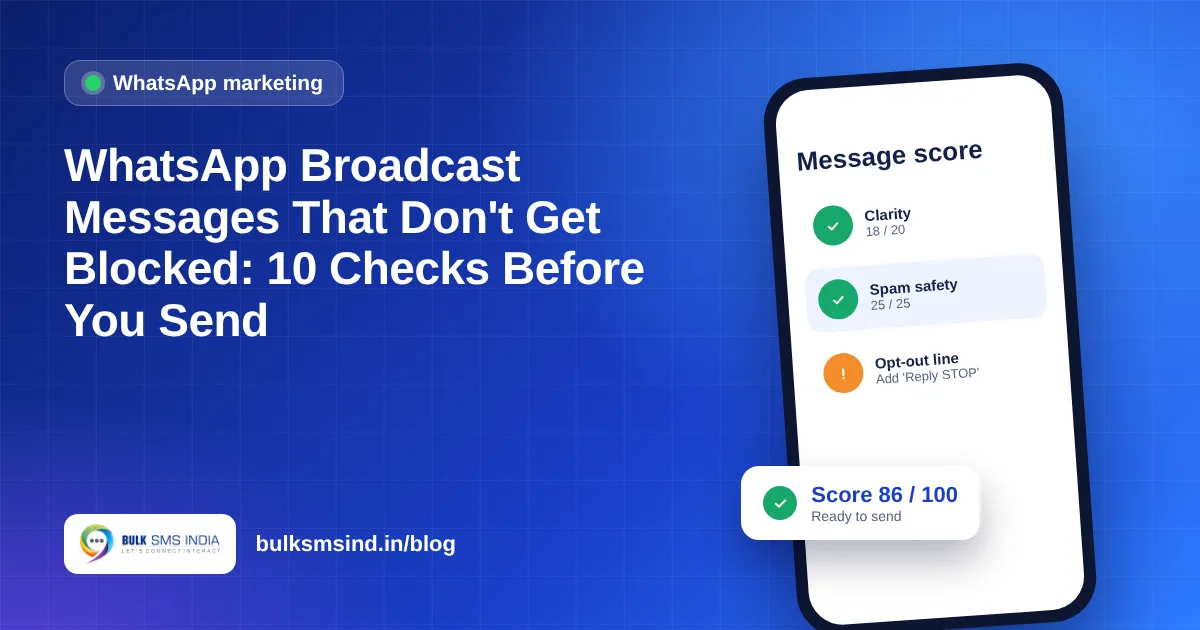
Quick answer: write a clear first line, use the customer's name, ask for one action, avoid ALL CAPS and pushy words, stay under 1,024 characters, place variables correctly, add an opt-out line and pick the right template category. You can check all of this in one go with our free WhatsApp message score.
The 10 checks
1. The first line says what it is
The notification shows only the start of your message. "Your order #1043 ships today" or "Diwali sale: 30% off till Sunday" tells people why to open it. "Dear valued customer, greetings!" does not.
2. Use the customer's name
Start with "Hi {{1}}" and fill in the first name. It is the simplest way to show the message is meant for them, not for a list.
3. Ask for one thing
One button or one link: "Shop now", "Book a slot", "Reply YES". Several links and phone numbers in one message look like spam.
4. No ALL CAPS
A word or two in capitals is fine. Whole sentences in capitals read as shouting and are reported more often.
5. No pushy money words
Avoid "guaranteed", "100% free", "earn money fast", "click here now" and "last chance!!!". If the offer is good, say it plainly.
6. Go easy on emojis and "!!!"
One to three emojis help. Five fire emojis and three exclamation marks in a row hurt.
7. Stay under 1,024 characters
That is the limit for a template body. In practice, messages under 500 characters with short paragraphs get read more.
8. Place variables correctly
Meta rejects templates where a variable such as {{1}} is the very first or last thing in the message, or where two variables sit side by side with nothing between them.
9. Add an opt-out line
"Reply STOP to stop offers" lets people leave without blocking you. A block hurts your rating; an opt-out does not.
10. Pick the right category
| Category | Use it for | Don't include |
|---|---|---|
| Marketing | Offers, launches, festive wishes, reminders to buy | Misleading claims |
| Utility | Order, payment, booking and account updates | Offers or discounts |
| Authentication | One-time passwords | Links, URLs or emojis |
A Utility message with a discount is treated as Marketing, which costs more and may be rejected.
Before and after
Before: "HURRY!!! 50% OFF ON EVERYTHING 🔥🔥🔥🔥🔥 LIMITED TIME ONLY!!! CLICK HERE NOW"
After: "Hi {{1}}, our Diwali sale is live: 50% off on kurtas and sarees till Sunday. Tap Shop now to see the collection. Reply STOP to stop offers."
Same offer, but the second one has a name, a clear first line, one action and an opt-out.
Beyond the message: who and how often
- Send only to people who agreed to hear from you.
- Do not send the same offer every day. Once or twice a week is plenty for most businesses.
- Send a small batch first, watch replies and blocks, then send the rest.
- Remove people who reply STOP straight away.
How Bulk SMS India helps
- WhatsApp message score: a free score out of 100 with fixes.
- WhatsApp Messaging: official WhatsApp Business API campaigns with delivery reports.
- DLT template checker: the same kind of check for SMS templates.
Frequently asked questions
Why do WhatsApp broadcasts get blocked?
Usually because the message reached people who did not expect it, or it looks like spam: capitals, pushy words, too many emojis or links, and no way to opt out.
What is the character limit for a WhatsApp template?
The template body can be up to 1,024 characters. Shorter messages of under about 500 characters usually perform better.
Do I need an opt-out line in WhatsApp marketing messages?
It is strongly recommended. Giving people an easy way to stop messages reduces blocks, which protects your quality rating.
Can I put an offer in a Utility template?
No. Utility templates are for order, payment and account updates. A message with an offer is treated as Marketing.
Is the WhatsApp message score free?
Yes. It runs in your browser, needs no sign-up and does not store your message.
Check your message for free
Paste your WhatsApp message and get a score out of 100, with fixes, before you send it to your list.
Messaging specialists with 10+ years of experience (since 2016) helping 15,000+ Indian businesses with bulk SMS, WhatsApp, RCS and voice communication.