SMS API Provider in India: Integration Guide for Businesses
How to choose an SMS API provider in India and integrate a bulk SMS API into your website, app, CRM or ERP for OTPs, alerts and automated notifications.
 Bulk SMS India Team 4 min read
When an order is placed, a payment fails or a customer logs in, the SMS should go out instantly, without anyone pressing a button. That is the job of an SMS API. This guide explains how an SMS API works, what to look for in an SMS API provider in India and how to integrate one into your systems.
What is an SMS API?
An SMS API (application programming interface) lets your software send and track SMS automatically. Your website, mobile app, CRM, ERP or billing system sends a simple web request to the provider with the number, message and sender ID. The provider delivers the SMS and reports back whether it reached the phone.
Typical uses:
- OTPs for login, sign-up and payments
- Order confirmations and shipping updates
- Payment receipts and failed-payment alerts
- Appointment confirmations and reminders
- Internal alerts, such as server down or low stock
How an SMS API request works
Most Indian SMS APIs use simple HTTP requests. A typical flow looks like this:
- Your server builds a request containing your API key, sender ID, DLT template ID, mobile number and message text.
- It sends the request over HTTPS to the provider's endpoint.
- The provider responds immediately with a message ID.
- Within seconds, the provider receives the delivery status from the operator.
- Your system fetches the status, or the provider pushes it to your webhook URL.
A request usually carries parameters like these:
| Parameter | Example | Purpose |
|---|---|---|
| apikey | your secret key | Authenticates your account |
| sender | BSMSIN | Your DLT-approved sender ID |
| templateid | 1107xxxxxxxxxxxxxx | Your DLT template ID |
| mobile | 9876543210 | Recipient number(s) |
| message | 482913 is your OTP... | Text matching the template |
Exact parameter names differ between providers. Your provider's API documentation lists them.
What to look for in an SMS API provider in India
DLT built in. The API should accept your DLT entity ID and template ID, and reject mismatched content before it costs you a credit.
Separate OTP route. OTPs need the fastest, highest-priority route. Ask whether OTP traffic is kept apart from bulk campaigns.
Delivery reports. Webhook callbacks or a status endpoint so your app knows if an OTP was delivered.
Uptime and failover. Multiple SMPP connections with automatic switching. Bulk SMS India runs 10+ backup SMPP servers in Tier-4 data centres.
Clear documentation. Sample code in PHP, Python, Node.js and Java saves developer hours.
Security. HTTPS, IP whitelisting and the ability to rotate API keys.
Simple pricing. The same credits for panel and API usage, with no hidden API charges. See SMS pricing.
What your customer sees
- DLT-approved sender ID and template
- Submitted to operators in real time
- Live delivery report for every number
- Works on every mobile phone
Step-by-step integration
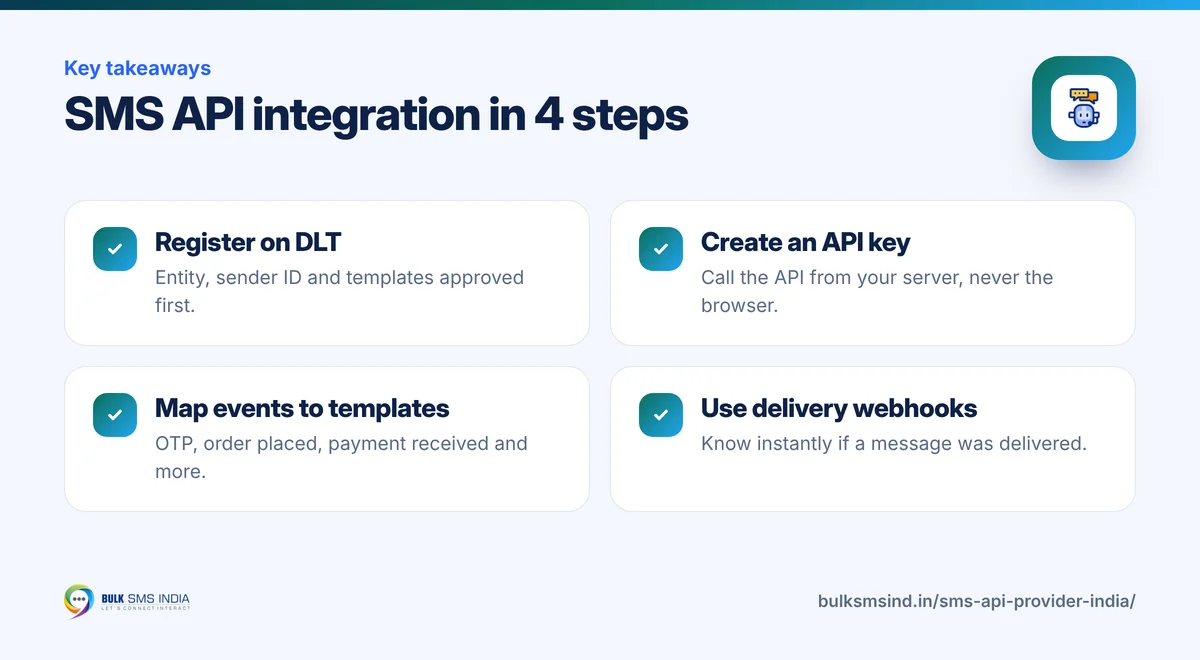
- Complete DLT registration for your entity, sender ID and templates on an operator DLT portal.
- Create an API key in your SMS panel.
- Whitelist your server IP if your provider supports it.
- Map each event (OTP, order placed, payment received) to a DLT template.
- Build the request using your provider's sample code.
- Handle responses: store the message ID and retry safely on timeouts.
- Receive delivery reports on a webhook and log them.
- Test with your own numbers, then go live.
Integration tips from real deployments
- Never hard-code message text that differs from the template. Even an extra space or full stop can cause rejection.
- Fill variables carefully. Each
{#var#}usually allows up to 30 characters. - Add a fallback. If an OTP is not delivered within 30 seconds, offer "Get OTP on call" using a voice OTP.
- Rate-limit OTP requests per number to prevent misuse.
- Keep keys secret. Call the SMS API from your server, never directly from a mobile app or browser.
Plugins and ready integrations
If you use a platform such as WooCommerce, Shopify or a school ERP, check whether a ready plugin or webhook integration exists. It can save days of development.
Getting started
Bulk SMS India offers a standard HTTP bulk SMS API that works with any language or platform, along with live delivery reports and support for DLT templates. Talk to our team for API documentation and test credits.
Frequently asked questions
Is an SMS API different from an SMS gateway?
The gateway is the delivery system. The API is how your software talks to it.
Can I send OTPs and bulk campaigns through the same API?
Yes, but use separate templates and routes. OTPs should always go through the transactional or OTP route.
Do I need a developer to use an SMS API?
For custom integration, yes. For common platforms, a ready plugin may be enough, and for one-off campaigns you can use the web panel instead.
Ready to get started?
Talk to our team about bulk SMS service — setup help, DLT guidance and test credits.
Messaging specialists with 10+ years of experience (since 2016) helping 15,000+ Indian businesses with bulk SMS, WhatsApp, RCS and voice communication.